Blueprint Review: AI Therapy Notes, Per-Session Pricing, BAA and Data Handling

Blueprint is an AI assistant for therapists and other mental health clinicians. It drafts progress notes, treatment plans and client letters, helps with session prep, and can either sit alongside the EHR you already use or act as your EHR. Pricing is usage-based rather than a flat subscription: the pricing page lists $0.99 per session for the "Alongside your EHR" option and $1.49 per session for the all-in-one EHR, with custom Enterprise plans for larger organizations.
This review covers what Blueprint does, how the per-session pricing and credits work, the main features, billing and refund terms, what the company says about HIPAA, its Business Associate Agreement (BAA) and data handling, and who it suits. We did not use Blueprint with real clients; everything below comes from Blueprint's own website, help center and legal pages.
At a glance Checked October 2026
Blueprint suits solo and small-practice therapists who want AI help with documentation and admin work and prefer paying per session instead of a monthly fee. The company says it is HIPAA compliant, SOC 2 Type II certified and includes a BAA with every account. The catch is that the pricing page was running more than one version at the time of writing, some fee notes contradict each other, and credits are sold in blocks of at least 30 with auto-replenish switched on by default.
- Best for: Therapists and counselors who want AI-drafted notes, treatment plans and letters, either next to SimplePractice, TherapyNotes, Headway or Alma, or inside Blueprint's own EHR.
- Typical price: $0.99 per session (Alongside your EHR) or $1.49 per session (All-in-one EHR); some visitors saw a $69 per seat per month unlimited option instead. Enterprise is quoted.
- Free to try: 5 free sessions (Alongside) or a 30-day free trial (All-in-one), no credit card required.
- Refunds: the pricing page advertises a 60-day money-back guarantee; we did not find written terms for it.
- Watch out for: Minimum credit purchase of 30 sessions, auto-replenish on by default, and transcripts kept by default unless you delete them or turn on auto-delete.
What Blueprint does
Blueprint describes itself as "the AI support system for therapists" and says it is used by more than 70,000 mental health professionals. The legal entity behind it is HelloJoy, Inc., doing business as Blueprint Health. There are two ways to use it:
- Alongside your EHR. You keep your current practice software and use Blueprint's AI for documentation and admin. Notes are copied from Blueprint into your EHR. The homepage names SimplePractice, TherapyNotes, Headway and Alma as examples of systems it works next to.
- All-in-one EHR. Blueprint becomes your practice management system, with scheduling, telehealth, intake forms, a client portal, payments and insurance billing built in, and AI notes saved straight to the client chart.
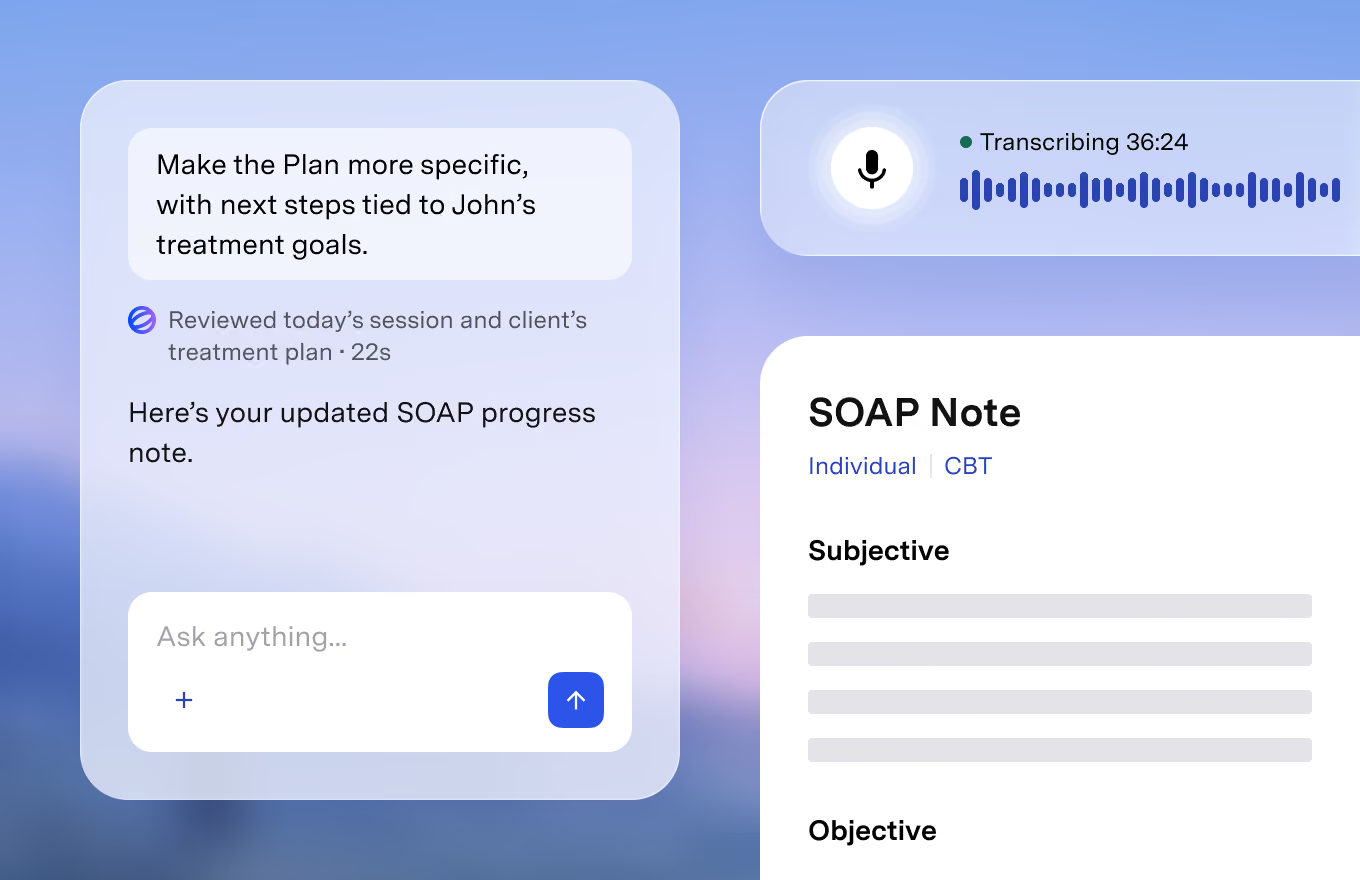
Notes can be generated from a recorded live session, from dictation or from a typed summary, and the company says recording is optional. Everything the AI writes starts as an editable draft; Blueprint states that nothing becomes part of the client record until the clinician reviews and approves it. There are web and mobile apps, and you can record sessions from your phone.
Plans and pricing
Blueprint does not sell a monthly subscription for individual clinicians on its main pricing layout. Instead you buy session credits and use one per client session. The tiers listed at the time of writing were:
- Alongside your EHR: $0.99 per session. Includes AI documentation, AI clinical support, AI billing and insurance help, AI marketing help and AI-assisted client communications. New accounts start with 5 free sessions.
- All-in-one EHR: $1.49 per session. Everything above plus the EHR: scheduling, intake and forms, telehealth, client portal, insurance billing, invoices and payments. New accounts get a 30-day free trial.
- Enterprise: custom pricing. Annual contracts with volume discounts, custom documentation templates built around clinical, compliance and payer requirements, custom EHR integrations and API access, and a dedicated success manager.
Two points need care. First, the pricing page appeared to be testing a second version: in that variant, the Alongside option is a flat $69 per seat per month for unlimited sessions, and one FAQ answer describes it the same way. Another section of the same page labels the tiers "Plus" ($0.99 per session) and "Pro" ($1.49 per session, adding an AI chat assistant). Check which price your account is offered at sign-up. Second, the fine print on extra fees is inconsistent. A footnote lists 3.15% + $0.30 per card transaction and $0.30 per claim plus $0.15 per eligibility check, marked "free until September 2026", while the FAQ says eligibility checks and claims are included at no extra cost and that card processing fees are waived until February 2027. If you plan to run payments or insurance claims through the All-in-one EHR, ask Blueprint to confirm the current fees in writing.
According to the help center, credits can be bought at any time with a minimum purchase of 30, and they never expire. The pricing FAQ adds that there is no monthly minimum or contract, and that Blueprint is "typically deductible as a practice expense", while advising you to check with a tax professional.
Key features
The comparison table on the pricing page groups features into six areas:
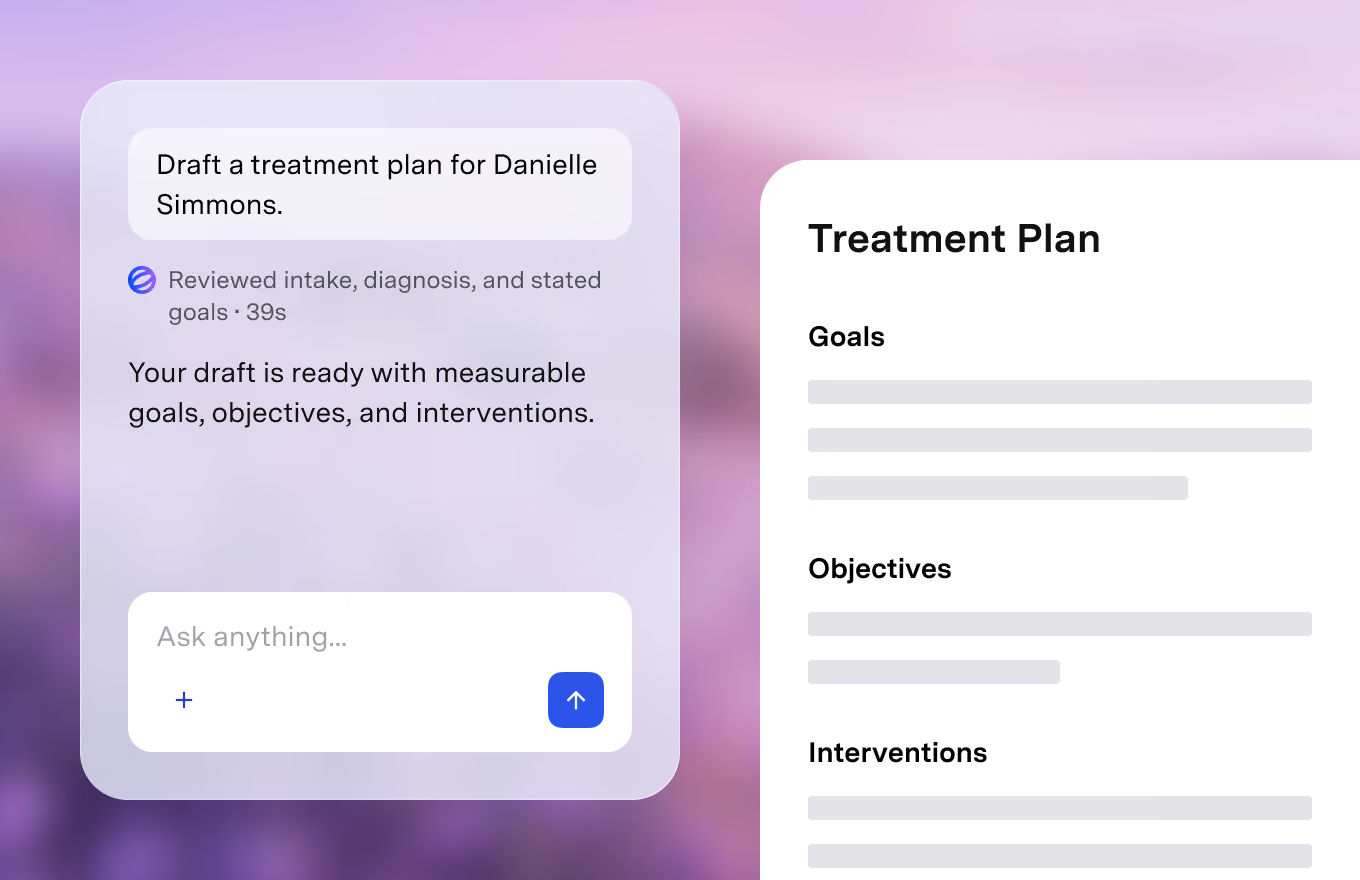
- AI documentation: progress notes from live sessions, dictation or typed summaries; treatment plans built around each client's goals; referral, court, school, termination, accommodation and medical necessity letters; after-visit summaries; discharge summaries; and custom note templates.
- AI clinical support: session prep with a recap and suggested focus areas, help thinking through complex cases, help interpreting assessment results, suggested assessments, worksheets and interventions from a library the company puts at 600+ tools, outcome measures to track progress, and ICD-10 diagnosis selection.
- AI billing and insurance: plain-language explanations of EOBs and denials, drafted appeals, superbill templates and Good Faith Estimates, and guidance on panel credentialing. In the Alongside option you supply the paperwork; in the EHR the claim is already there.
- AI marketing and growth: local SEO guidance, directory profile and bio rewrites, website and social drafts, referral outreach drafts and consultation call scripts.
- Client communications: emails drafted in your voice, session follow-ups, homework reminders and cancellation notices, which Blueprint can send for you with you copied.
- EHR (All-in-one only): scheduling with client self-booking and reminders, two-way calendar sync, individual and group telehealth, intake and consent forms with e-signatures, a client portal, payments and autobilling, claims tracking, no-show fees, and import of existing clients, notes and billing data.
Cancellation, refunds and billing
Because credits are prepaid, Blueprint's FAQ says there is "nothing to cancel": you simply stop buying credits, and any you already hold do not expire. The thing to watch is auto-replenish. The help center says it is enabled by default the first time you buy credits, with the top-up amount set to whatever you first purchased (minimum 30). You can switch it off, or change the trigger threshold and top-up amount, under Plan in your account settings.
The pricing page advertises a 60-day money-back guarantee, but we did not find a page explaining how to claim it or whether it applies to unused credits, used credits or both. Blueprint's Platform Services Agreement, which applies to clinics that sign an order form, says fees are non-refundable except as the agreement provides, and sets a one-year term that renews for 12-month periods unless either side gives 60 days' written notice, unless the order form or self-service sign-up says otherwise. Group practices and organizations on an Enterprise contract should read their order form's renewal and termination terms carefully. If the $69 per seat monthly variant applies to you, confirm how and when it renews before you enter card details.
Privacy, HIPAA and data handling
For a tool that listens to therapy sessions, this is the section that matters most. The following is what the company says on its Privacy & Security page, BAA page and help center; we have not audited any of it.
- HIPAA and BAA: Blueprint says it meets HIPAA requirements and supports applicable regional privacy standards, including PHIPA. It says a Business Associate Agreement is automatically included as part of its Terms of Service when you sign up, and that a signable, countersigned copy is available on request. Its privacy policy describes Blueprint as a Business Associate rather than a Covered Entity.
- Security: the company says it is SOC 2 Type II certified (report available on request), encrypts data in transit and at rest (256-bit disk-level encryption), and stores data in the United States on Amazon Web Services.
- Audio: recording is optional. When it is used, Blueprint says audio is deleted immediately after transcription and no recordings, copies or backups are kept.
- Transcripts: the help center says transcripts are retained by default to support features like note re-generation, unless the clinician deletes them or turns on auto-delete.
- AI training and subprocessors: Blueprint says client data is never used to train AI models. It names Deepgram (transcription), OpenAI (note generation, under an enterprise API agreement that it says excludes retention and training) and Datadog (logs kept 15 days) as subprocessors with BAAs in place.
- Legal requests: a Legal FAQ explains how subpoenas for transcripts are handled and says Blueprint notifies clinicians where permitted.
A vendor's BAA and security claims do not, on their own, make your practice compliant. Clinicians should check their own obligations: client consent for recording and AI use, state confidentiality rules, record-retention requirements, licensing board guidance and any payer or employer policies. Review every AI-drafted note before signing it; Blueprint's own Legal FAQ says transcripts can contain errors and that the finalized note is the clinician's record.
Who Blueprint suits, and who should skip it
- Good fit: solo or small-group therapists with a fluctuating caseload who would rather pay per session than a fixed monthly fee; clinicians already using SimplePractice, TherapyNotes, Headway or Alma who want AI notes without migrating; and new practices that want an EHR and AI tools in one place.
- Think twice: if your organization requires a fully negotiated BAA rather than one accepted at sign-up, if you need notes written directly into your current EHR (the Alongside option uses copy and paste), or if your state, employer or payer has rules on recording sessions or using AI in documentation that you have not yet checked.
- Skip: if you want a fixed, predictable monthly price and the per-session model offered to you does not provide one, or if you are not comfortable with transcripts being stored by default until you change the setting.
Blueprint coupon codes
We did not find a verified public coupon code, and we do not publish codes we cannot check. What Blueprint offers on its own site is free usage: 5 free sessions for the Alongside option and a 30-day free trial for the All-in-one EHR, both without a credit card. The pricing page also showed a banner offering 50% off a first purchase within seven days; it appears to be a time-limited offer for new visitors, so confirm it at checkout rather than counting on it. Blueprint also lists an affiliate program in its site footer. Any working offers we find are listed on our Blueprint coupons page.
Frequently asked questions
How much does Blueprint cost per month?
It depends on your caseload. On the main pricing layout you pay $0.99 per session alongside your current EHR or $1.49 per session in Blueprint's EHR, so a clinician seeing 80 sessions a month would pay about $79 or $119. Some visitors were shown a flat $69 per seat per month for unlimited sessions instead.
Does Blueprint sign a BAA?
The company says a BAA is automatically included in its Terms of Service when you sign up, and a signable copy is available if you need one for your records.
Does Blueprint store session recordings?
Blueprint says audio is deleted immediately after transcription. Transcripts are kept by default unless you delete them or enable auto-delete, which the help center says may limit some editing features.
Do Blueprint session credits expire?
No. The pricing FAQ says credits never expire. The minimum purchase is 30 credits, and auto-replenish is on by default after your first purchase.
Can I cancel Blueprint?
On the credit model there is no subscription to cancel; you stop buying credits and turn off auto-replenish. Enterprise and order-form customers have contract terms that can include annual renewal.
The bottom line
Blueprint offers a broad set of AI tools for therapy practices, from progress notes and treatment plans to billing explanations and client emails, with pay-per-session pricing that scales with your caseload. The company's stated safeguards are detailed: a BAA at sign-up, SOC 2 Type II, audio deleted after transcription and no model training on client data. Before you commit, confirm which price version you are offered, switch off auto-replenish if you do not want automatic top-ups, set your transcript retention, and check your own legal and ethical obligations around recording and AI-assisted documentation.
Disclosure: this article contains affiliate links. If you buy through them we may earn a commission, at no extra cost to you. Prices and policies were checked on the Blueprint website at the time of writing and may change.